Best Left-Handed Ergonomic Mouse
Looking for the perfect left-handed ergonomic mouse that blends comfort with precision can feel like hunting for a needle in a haystack. Fortunately, we've curated a list of top contenders designed to keep your hand happy and productivity soaring. Dive in to discover the best options that turn ergonomic excellence into a moveable feast.
Top Frugal Selection: ELECOM M-XT4DRBK

| Highlights |
|---|
| Ergonomic left-handed design |
| Precise optical tracking |
| Customizable buttons |
The ELECOM EX-G Left-Handed Trackball Mouse truly delivers precision and customizability at a wallet-friendly price.
Its optical tracking technology ensures you get smooth and accurate cursor movement with minimal hand fatigue, making it perfect for long work sessions.
The six buttons are easily programmable, and the horizontal scroll feature adds an extra layer of convenience.
Plus, its easy-to-maintain ball bearings mean less hassle cleaning.
Overall, this Top Frugal Selection is an excellent choice for left-handed users seeking efficiency without breaking the bank.
Be sure to also check out the best left handed gaming mouse for more options!
Best for Long Hours: Logitech Lift

| Highlights |
|---|
| Ergonomic vertical design |
| Long battery life |
| Quiet clicks and scroll |
The Logitech Lift Vertical Ergonomic Mouse truly lives up to its name, offering long-lasting comfort with a nearly natural wrist position thanks to its 57-degree tilt.
Its textured grip and dedicated thumb rest make it a joy to use during those extended work sessions — no more sore wrists or cramped fingers.
Plus, with whisper-quiet clicks and a SmartWheel, you'll stay focused without distractions.
Suitable for small to medium left hands, this mouse's sleek design and strong build quality mean you'll be lifting yourself up, not down, at the end of a long day.
Perfect for those prioritizing comfort and productivity!
Be sure to also check out the best ergonomic mouse for small hands for more options!
Best for Small Hands: SUNGI Mouse
| Highlights |
|---|
| Ergonomic vertical design |
| Comfortable for small hands |
| Auto sleep feature |
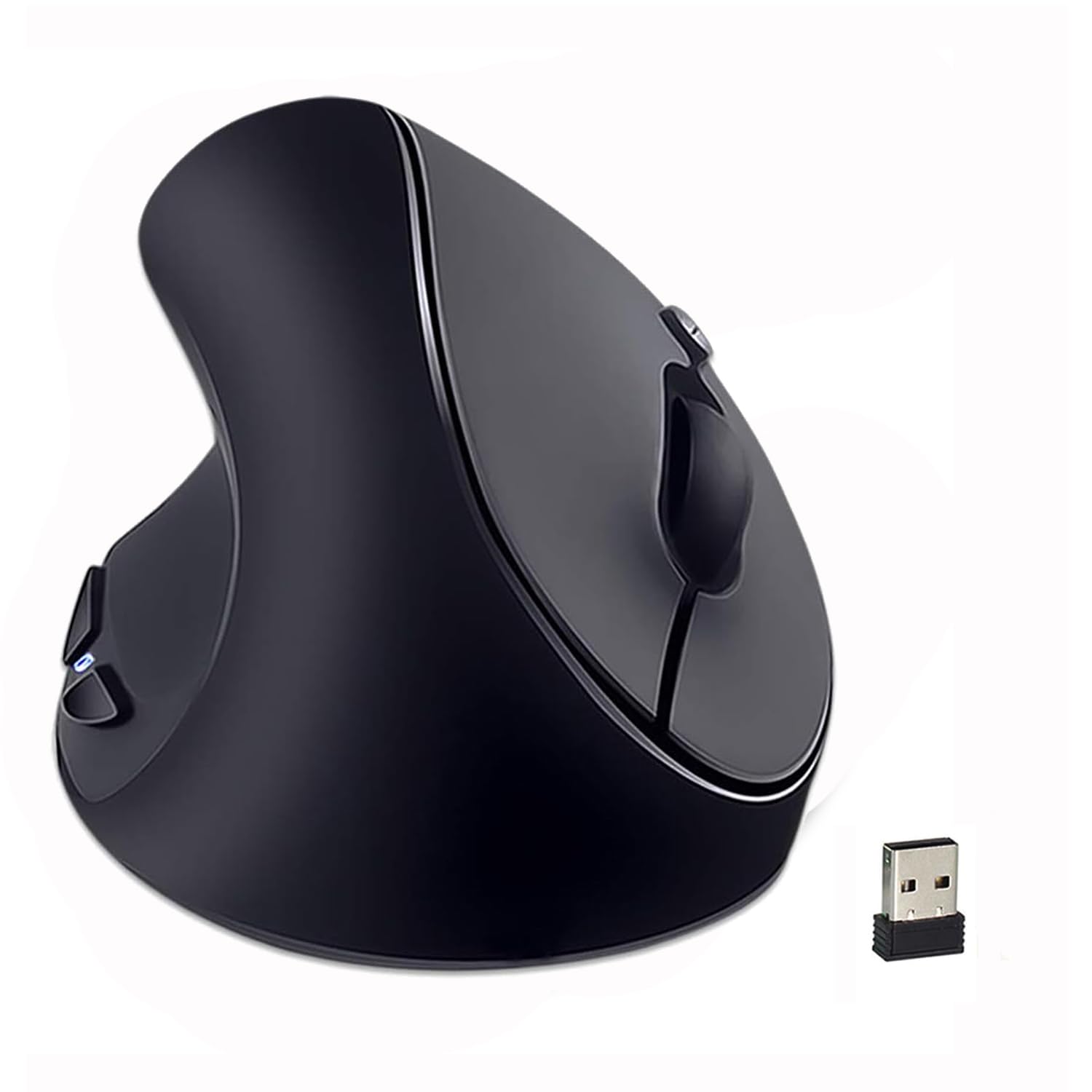
designed specifically for small hands, this ergonomic vertical mouse offers a natural "handshake" grip that significantly reduces wrist fatigue.
The rubber oil surface feels incredibly comfortable during long sessions, making it a joy to use.
Its plug-and-play setup is straightforward—just insert the USB receiver, and you're good to go.
The adjustable DPI settings provide versatility for browsing or detailed tasks, and the auto sleep feature helps conserve energy.
Although it has some issues with cursor smoothness and Mac compatibility, its ergonomic benefits for petite users make it a compelling choice for everyday comfort.
Be sure to also check out the best ergonomic mouse for large hands for more options!
Best for Professional Use: Logitech M650 L

| Highlights |
|---|
| Ergonomic for large hands |
| Quiet clicking technology |
| Multi-device connectivity |
The Logitech Signature M650 L shines as the best for professional use, thanks to its perfect blend of comfort, silence, and customization.
Designed with larger hands in mind, it offers a contoured shape and soft thumb area that keep long work sessions pain-free.
The QuietTouch technology ensures you work without disturbing colleagues, while the multi-device connectivity adds practicality for seamless switching.
Plus, its eco-friendly materials and impressive 24-month battery life make it a smart and sustainable choice.
Whether you're multitasking or deep in focus, this mouse helps keep productivity quiet, comfortable, and efficient.
Be sure to also check out the best tablet for abc mouse for more options!
Meetion Wireless Vertical Mouse
| Highlights |
|---|
| Reduces wrist strain |
| Versatile connectivity |
| Adjustable DPI settings |
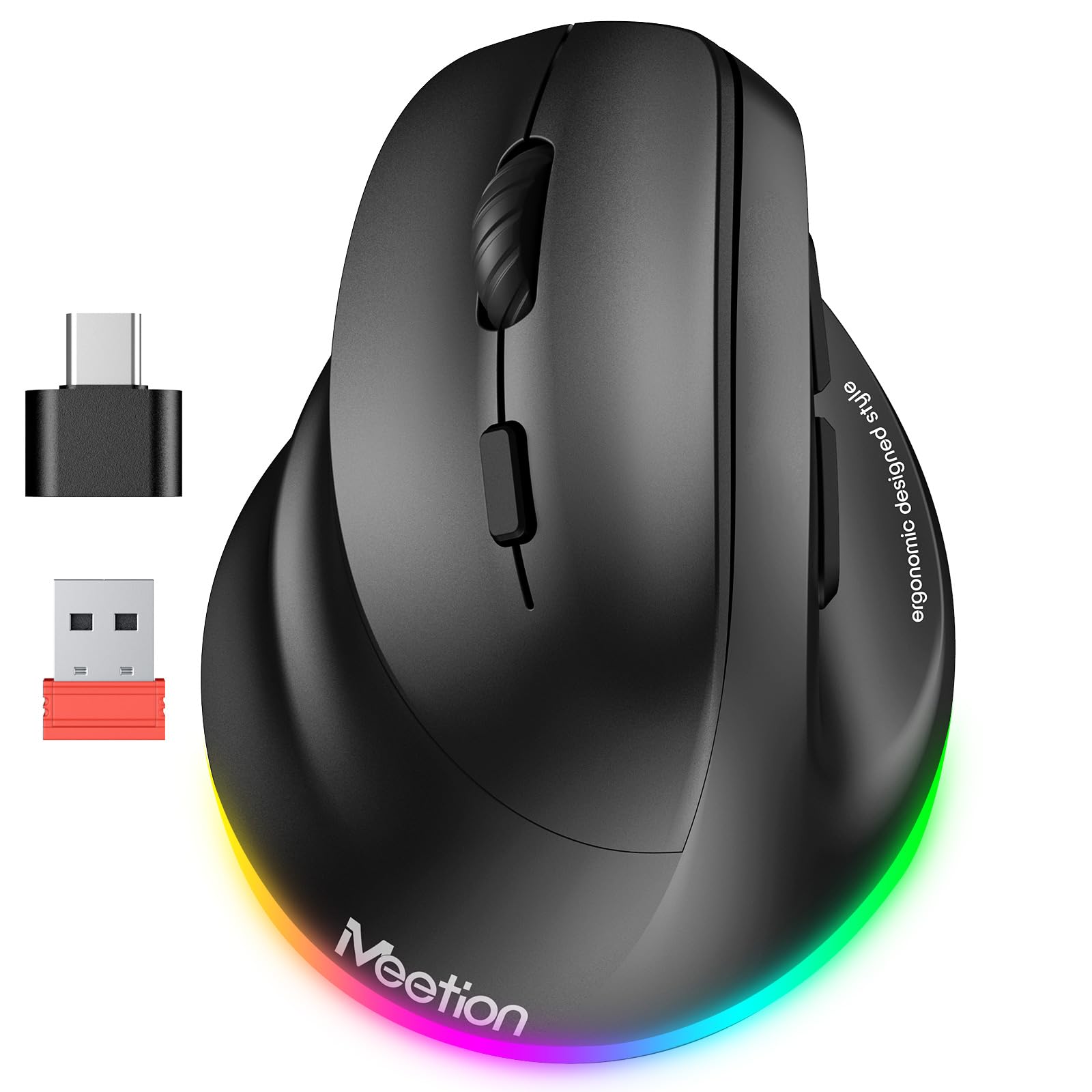
The ergonomic vertical design truly makes a difference, reducing wrist strain and promoting a more natural grip during long hours.
Its versatile connectivity options—Bluetooth 5.0, 3.0, and 2.4G wireless—mean you can seamlessly switch between devices, whether you're on Windows, Mac, or Linux.
Plus, the customizable DPI settings offer precision for various tasks, from web browsing to detailed design work.
The colorful RGB lighting adds a fun touch, while the rechargeable battery ensures you stay powered up without constantly buying replacements.
Just a heads-up—some users have noted battery charging hiccups and occasional connectivity issues, but overall, it's a versatile, stylish choice for left-handed users seeking comfort and performance.
Be sure to also check out the best handheld router for more options!
Perixx Perimice-513L

| Highlights |
|---|
| Left-handed ergonomic design |
| No button reversal needed |
| Comfortable vertical grip |
The Perimice-513l offers a natural ergonomic vertical grip that comfortably fits all hand sizes, making it ideal for those prone to Repetitive Strain Injuries (RSI).
The design positions your palm and wrist in a healthy alignment, reducing strain during long hours.
The six buttons provide easy access to common functions, and the adjustable DPI (1000/1600) ensures precision on demand.
Its plug-and-play setup means you can jump right in, while the high-quality rubber surface adds extra comfort.
Perfect for left-handed users seeking a reliable, ergonomic work companion.
Be sure to also check out the best refurbished chromebooks for more options!
DeLUX M618Plus RGB Left-Handed Ergonomic Mouse

| Highlights |
|---|
| Ergonomic for large hands |
| Detachable wrist rest |
| Wide compatibility |
The unique vertical design feels natural and helps reduce arm discomfort, especially for those with larger hands who often struggle with traditional mice.
The detachable wrist rest adds an extra layer of comfort, allowing you to customize your setup for long work sessions.
The vibrant RGB lighting is a fun bonus, offering a visually captivating experience, though it’s more a style feature than a necessity.
With five adjustable DPI levels, you can tailor sensitivity to your needs, making this mouse versatile across various tasks. Wide compatibility ensures smooth use on most systems, making it a solid choice for ergonomic-conscious users.
Be sure to also check out the best wired trackball mouse for more options!
BeWishes Left-Handed Vertical Mouse
| Highlights |
|---|
| Ergonomic design for left-handers |
| Plug & Play setup |
| Multiple DPI options |
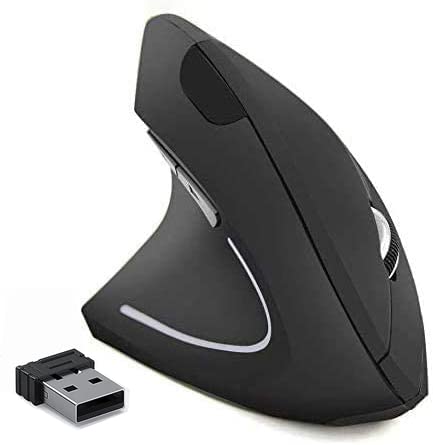
This left-handed ergonomic vertical mouse fits comfortably and encourages a natural "handshake" position, reducing strain during long hours at the desk.
Its plug-and-play feature makes setup a breeze—simply connect the USB receiver and you're good to go.
The three DPI levels provide versatility for both work and gaming, offering smooth, precise movements.
Plus, with its power-saving features and reliable wireless connection, it’s designed for all-day use without constant battery worries (batteries not included).
Overall, a smart choice for left-handed users seeking comfort and efficiency.
Be sure to also check out the best readers for computer for more options!
Lekvey Left Hand Mouse

| Highlights |
|---|
| Ergonomic, reduces strain |
| Plug & Play setup |
| Long-lasting battery |
The Lekvey Left-Handed Ergonomic Vertical Mouse truly champions comfort and health, thanks to its natural "handshake" grip that minimizes wrist strain.
It features six accessible buttons, including handy page navigation controls, making browsing a breeze.
Its three DPI settings let you switch easily between work and play with smooth, responsive tracking.
The plug-and-play setup is a plus—just pop in the nano receiver, and you're ready to go.
Plus, the power-saving feature extends battery life, reducing hassle.
Please note, it's not compatible with Mac OS, so double-check your system before diving in.
Overall, a reliable choice for long hours at the desk!
Be sure to also check out the best mouse pad magic mouse for more options!
ELECOM EX-G Left-Handed Ergonomic Mouse

| Highlights |
|---|
| Accurate optical tracking |
| Customizable button functions |
| Ergonomic left-handed design |
The ELEOM "EX-G series" trackball offers exceptional accuracy, thanks to its red ball tracking technology—perfect for both work and gaming precision.
Its ergonomic left-handed design makes long hours comfortable, reducing strain.
The 6 customizable buttons allow quick access to shortcuts, boosting productivity.
The DPI toggle is handy for adapting the cursor speed on the fly, although it can sometimes be a bit tricky to switch.
Keep in mind, the software is in Japanese, which might be a hiccup for some users.
Overall, a solid pick for left-handed users seeking accuracy and comfort in one sleek package.
Be sure to also check out the best keyboard and mouse pad for more options!
Sanwa Wireless Mouse

| Highlights |
|---|
| Ergonomic vertical design |
| Plug-and-play convenience |
| Adjustable DPI levels |
The ergonomic vertical design really shines, offering a natural 54° tilt that keeps your hand in a relaxed, comfortable position.
Its egg-shaped, thumb-rested grip is perfect for small to medium lefties, reducing wrist strain and preventing fatigue during long work sessions.
The plug-and-play setup is hassle-free—just insert the USB receiver and you're ready to go, even from across the room, thanks to the 32.8-foot wireless range.
With adjustable DPI levels, you can fine-tune cursor speed for precise tasks or quick movements, making it versatile for work or leisure.
Although it's not fully compatible with Mac, its wide system support, power efficiency, and sleek design make it a top pick for ergonomic comfort.
Be sure to also check out the best ethernet splitter for more options!
Perixx Perimice 719L

| Highlights |
|---|
| Ergonomic, reduces strain |
| Silence-approved click |
| High accuracy sensor |
Its ergonomic design promotes a natural handshake position, which helps reduce muscular strain during long working sessions.
The silent-click buttons are a game-changer, offering a distraction-free experience perfect for quiet environments.
With an optical sensor and adjustable DPI settings (800/1200/1600), this mouse ensures high accuracy whether you're browsing or detailed work.
Its compact size makes it ideal for small hands, providing a comfortable fit without sacrificing performance.
Plus, the reliable wireless connection and 10-meter range make it versatile for both office and home setups.
Be sure to also check out the best e-ink monitor for more options!
Share Sunshine Ergonomic Vertical Mouse Left-Handed Ergonomic Mouse

| Highlights |
|---|
| Ergonomic left-handed design |
| Adjustable DPI settings |
| Includes thumb buttons |
… The ergonomic left-handed design contours comfortably around your palm, making it a natural fit for long hours at your desk.
The thumb buttons make browsing a breeze, whether you're navigating tabs or gaming fiercely.
Plus, the adjustable DPI settings — 800, 1200, 1600 — ensure smooth, precise movement across different surfaces, boosting productivity and accuracy.
With six buttons offering versatile control, it handles everything from data management to casual gaming seamlessly.
While surface compatibility could be better, its affordable price and thoughtful setup make it a solid choice for left-handed users seeking comfort and function.
Be sure to also check out the best threadripper motherboard for more options!