
Best Mouse for Chromebook
Looking to upgrade your Chromebook experience with a sleek, responsive mouse? Dive into our curated list of the best mice for Chromebook, where precision meets portability. Whether you're working, gaming, or browsing, discover the perfect clicker to elevate your tech game with effortless style.
High-Quality Low-Cost Pick: Amazon Basics Mouse

| Highlights |
|---|
| Easy plug-and-play setup |
| Responsive 1000 DPI tracking |
| Comfortable, lightweight design |
The Amazon Basics 3-Button USB Wired Mouse delivers reliable, smooth performance at a surprisingly low price.
Its responsive 1000 DPI optical sensor makes navigation precise and effortless—perfect for quick text selection or browsing.
The simple, lightweight design fits comfortably in your hand, reducing fatigue during long hours on your Chromebook.
While it’s a wired option with a USB-A connector (so an adapter might be needed for USB-C ports), setup is a breeze—just plug it in and start working.
Overall, this mouse offers great value and dependable performance for everyday use.
Be sure to also check out the best case for chromebook for more options!
Best for Minimalists: Amazon Basics Mouse

| Highlights |
|---|
| Reliable 2.4 GHz connection |
| Compact nano-receiver storage |
| Affordable and easy to install |
The Amazon Basics Wireless Mouse offers smooth and precise control in a sleek, minimalist package.
Its simple design keeps your workspace clutter-free, while the reliable 2.4 GHz connection ensures there's no lag or dropouts—ideal for presentations or browsing your favorite sites.
The nano-receiver conveniently stows inside the mouse, avoiding lost pieces and making portability a breeze.
While the battery life could be longer, its affordability and straightforward setup make it a top pick for those who want a basic, fuss-free mouse that gets the job done efficiently.
Be sure to also check out the best stylus for chromebook for more options!
Best for Portability: Shunjinrun
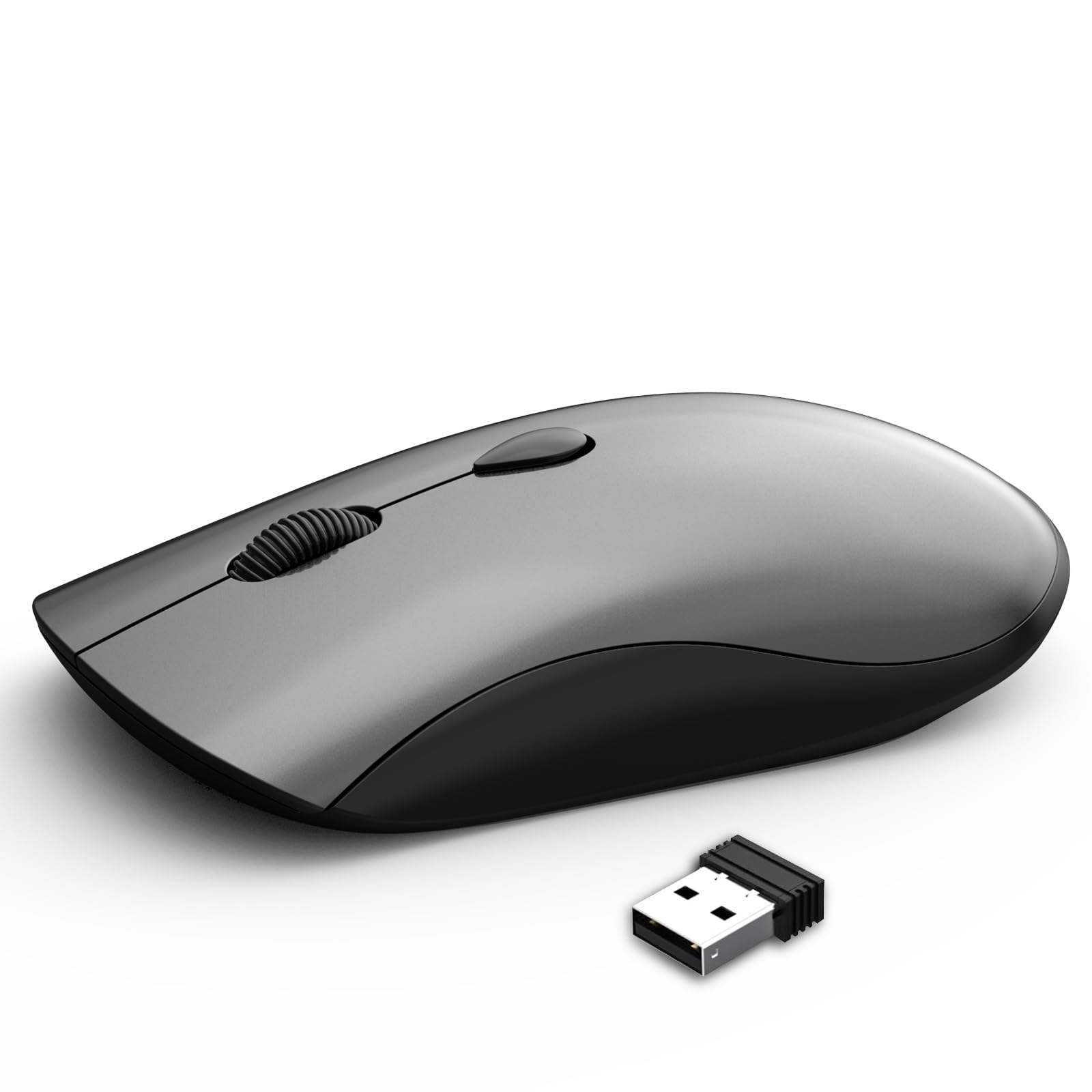
| Highlights |
|---|
| Ambidextrous design |
| Easy plug & play |
| Quiet, silent click |
Its ambidextrous design makes it a versatile choice, fitting comfortably in any hand—left or right.
The plug & play feature is a real lifesaver, allowing instant setup without any fuss or driver downloads.
Its slim, lightweight body easily slides into your laptop bag, making it the perfect companion for travel or busy coffee shop work sessions.
The silent click is a nice touch, ensuring you're not disturbing others, and the solid build quality promises longevity.
While it needs a single AA battery and lacks RGB lighting, its overall portability and compatibility with multiple OS make it a top pick.
Be sure to also check out the best webcam for chromebook for more options!
Best for Quiet Operation: ACozykitten Wireless Mouse

| Highlights |
|---|
| Reliable 2.4GHz connection |
| Quiet, silent buttons |
| Ergonomic, comfortable design |
This mouse excels in quiet operation thanks to its silent click buttons, making it ideal for shared workspaces like offices and libraries.
The ergonomic shape fits comfortably in your hand, reducing fatigue during marathon work sessions.
With three adjustable DPI levels, you can easily switch from precise tasks to faster navigation.
Plus, its reliable 2.4GHz connection ensures smooth, wire-free experience.
Lightweight yet sturdy, it glides effortlessly on various surfaces.
While the side buttons have minimal support and a USB-A port is needed for Type-C devices, overall, this mouse combines ease of use, comfort, and quietness perfectly.
Be sure to also check out the best router rebooter for more options!
TECKNET Mouse

| Highlights |
|---|
| Compact and portable |
| Soft, quiet clicks |
| Universal compatibility |
The TECKNET Mint Green Wireless Mouse combines cuteness with practicality, making it a fantastic choice for kids or those with smaller hands.
Its compact size (just under 4 inches long) fits snugly in your hand, providing comfort during extended use.
The soft click buttons and quiet operation create a distraction-free environment—perfect for shared spaces or late-night work sessions.
Despite its petite design, it boasts universal compatibility across major operating systems including Chrome OS and Windows.
While the lack of Bluetooth might be a downside for some, its reliable 2.4GHz wireless ensures smooth connectivity.
Overall, this mouse is a fun, functional, and fuss-free pick for Chromebook users on the go.
Be sure to also check out the best refurbished chromebooks for more options!
Tecknet Mouse

| Highlights |
|---|
| Ergonomic, Comfortable Grip |
| Long Battery Life |
| Seamless Plug-and-Play |
Its compact design makes it ideal for on-the-go use, slipping easily into your bag without adding bulk.
The ergonomic shape and rubber side grips provide a comfortable, natural feel, so extended work sessions don't turn into hand cramps.
With advanced optical tracking and 5 adjustable DPI levels, this mouse offers precise control across various surfaces—up to 2600 DPI for sharp cursor movement.
Plus, its long-lasting battery life—up to 24 months—means less worry about recharging or replacing batteries.
Compatible with USB-A ports, it's a reliable, travel-friendly choice for Chromebook users seeking quick, efficient performance.
Be sure to also check out the best router combo for more options!
WREANU Wireless Bluetooth Mouse Mouse for Chromebook

| Highlights |
|---|
| Easy Bluetooth connection |
| Long battery life |
| Quiet clicking |
This dual mode wireless mouse offers seamless switching between Bluetooth and 2.4G modes, making multitasking a breeze—no driver fuss, just plug and play.
The long-lasting 500mAh battery means you’re rarely caught off guard, and a quick 2-hour charge keeps you powered for days.
Its quiet clicks help maintain focus, whether you're in a noisy office or peaceful home environment.
The colorful LED lighting adds a fun, stylish touch, perfect for livening up your workspace.
While the lighter build may feel less premium and a separate dongle is needed, its versatility and long-range reliability make it a top pick for Chromebook users who want both function and flair.
Be sure to also check out the best mouse for 3d modeling for more options!
Shunjinrun Wireless Mouse

| Highlights |
|---|
| Plug & Play setup |
| Ergonomic & comfortable |
| Long battery life |
This compact wireless mouse offers a plug & play setup—just insert the USB receiver, and you're ready to go, no drivers needed.
Its ergonomic design fits snugly in the palm, making long browsing or work sessions comfortable, while the silent click feature helps you focus without disturbing others.
With long battery life—up to 18 months—you won’t be swapping batteries frequently.
The side keys add quick navigation options, and its universal compatibility covers most devices, including Chromebooks and other Chrome OS-based devices. Perfect for users seeking convenience, comfort, and reliability in a sleek package.
Be sure to also check out the best mouse for steam deck for more options!
Seenda Wired Mouse

| Highlights |
|---|
| Colorful RGB lighting |
| Plug & Play setup |
| Ergonomic & comfortable |
The rainbow RGB lighting adds a fun, vibrant touch to your workspace, and you can customize the display or turn it off for focus.
Its plug & play setup makes installation a breeze — just connect and go, no fuss or complicated drivers needed.
The ergonomic shape comfortably fits both small and large hands, while the responsive optical sensor ensures precise cursor movements.
Plus, its universal compatibility covers most Windows and Mac devices (except Type C laptops), making it versatile for different systems.
Overall, a colorful, reliable choice for Chromebook users seeking style and comfort.
Be sure to also check out the best mouse for ps5 for more options!
Uineer Bluetooth Mouse Mouse for Chromebook

| Highlights |
|---|
| Tri-mode wireless connectivity |
| Ergonomic for comfort |
| Adjustable DPI levels |
The Tri-mode wireless connectivity makes switching between devices seamless — whether you're on a Chromebook, tablet, or desktop, connection stability is reliable.
Its ergonomic design ensures comfortable use even during long work sessions, reducing hand fatigue.
With adjustable DPI settings, you can tailor precision to your tasks, from casual browsing to detailed editing.
The battery level indicator keeps you powered up with no surprises, and the sleek, compact size makes portability effortless.
While the battery life may vary, the overall versatility and comfort make this mouse a fantastic choice for Chromebook users seeking an efficient, hassle-free experience.
Be sure to also check out the best chromebook under $100 for more options!
Tecknet Ergonomic Mouse

| Highlights |
|---|
| Ergonomic, wrist-friendly design |
| Adjustable high DPI |
| Wide device compatibility |
The ergonomic 52° angle offers a natural handshake position, drastically reducing wrist strain—perfect for those long work sessions.
With five adjustable DPI settings, you can customize sensitivity for smooth, precise cursor control across various surfaces.
The comfortable rounded shape fits most hand sizes effortlessly, making it suitable for everyone.
Plus, the silent click technology ensures you won’t disturb colleagues or family while working or gaming.
Its stable 2.4GHz wireless connection means no lag or dropouts, and wide compatibility makes it a versatile choice for any device—truly a wrist-friendly workhorse.
Be sure to also check out the best mouse for butterfly clicking for more options!
Logitech M185

| Highlights |
|---|
| Compact and portable |
| Comfortable ambidextrous design |
| Reliable wireless connection |
The compact and lightweight design makes it perfect for on-the-go use, fitting comfortably in your hand regardless of size.
Its ambidextrous shape ensures both right- and left-handed users can operate it with ease, making it a versatile choice for any workspace.
The reliable wireless connection seamlessly works up to 33 feet, so you don’t have to worry about lag or dropouts.
While the plastic feel may seem a bit inexpensive, it doesn't detract from its overall performance.
Plus, the long battery life keeps you working for up to a year without fuss.
Overall, a smart pick for Chromebook users seeking portability and dependability.
Be sure to also check out the best mouse for arthritic hands for more options!
Vssoplor Mouse Mouse for Chromebook

| Highlights |
|---|
| Quiet clicking |
| Stable wireless connection |
| Ergonomic & portable |
Its intelligent sleep mode ensures the battery lasts longer, so you get more use without constantly swapping batteries.
The 2.4 GHz wireless connection is remarkably stable, maintaining a strong link even up to 10 meters away, and the high DPI tracking makes it smooth across various surfaces.
Its ergonomic and compact design makes it perfect for on-the-go use, fitting comfortably in your hand and pocket.
Plus, the whisper-quiet clicks mean you can work late at night without disturbing anyone.
Overall, this mouse combines reliability and comfort in a sleek package, making it a great choice for Chromebook users.
Be sure to also check out the best mouse for graphic designers for more options!
HP X3000 G3 Wireless Mouse

| Highlights |
|---|
| Long battery life |
| Smooth multi-surface tracking |
| Comfortable ambidextrous design |
The HP X3000 G3 Wireless Mouse offers a comfortable, ambidextrous design that feels natural no matter your grip style.
Its long battery life of up to 15 months means fewer interruptions, and the smooth multi-surface tracking with LED technology ensures consistent performance on virtually any surface.
Plus, the compact size makes it easy to carry around, perfect for Chromebook users on the go.
While it has a basic feature set and a small on/off switch, its reliability and ease of use make it a top pick for anyone seeking a hassle-free, versatile mouse.
Be sure to also check out the best dvd player for chromebook for more options!
Seenda Wireless Mouse

| Highlights |
|---|
| Compact, travel-friendly |
| Quiet clicking sound |
| Easy plug & play |
Its vibrant color options and compact design make it perfect for on-the-go use, whether you're working from home, at the office, or traveling.
The plug-and-play feature ensures immediate usability without any fuss, and the soft, noiseless clicks make it a pleasure to use without disturbing others.
With a reliable 2.4GHz connection extending up to 33 feet, you won’t miss a beat.
Just a heads-up—it's powered by a single AA battery (not included), and it works best with Windows and Mac OS via the USB receiver, but it's not compatible with MacBook Pro’s Type-C ports.
Be sure to also check out the best mouse for surface pro 9 for more options!
Jetta Wireless Mouse Mouse for Chromebook

| Highlights |
|---|
| Compatible with multiple OS |
| Long-lasting rechargeable battery |
| Quiet, silent clicking |
This JETTA wireless mouse offers easy compatibility across many OS, from Mac to Windows, making it a versatile choice for Chromebook users.
The 450mAh rechargeable battery provides up to 500 hours of use on a single charge, eliminating constant replacements.
Its 1600 DPI sensitivity and adjustable levels ensure smooth, precise navigation—perfect for multitasking or detailed work.
Plus, the silence-click feature is a game-changer for quiet environments.
However, be aware of some wake-up issues during idle moments and the flat shape which might not be ergonomic for prolonged use.
Still, its plug-and-play simplicity makes it a reliable, clutter-free option that balances performance and convenience.
Be sure to also check out the best mouse for drag clicking cheap for more options!
PEIBO Wireless Mouse

| Highlights |
|---|
| Wide device compatibility |
| Energy-saving sleep mode |
| Comfortable ergonomic design |
Its wide device compatibility makes connecting to any Chromebook a breeze, whether via Bluetooth or USB receiver.
The auto energy-saving sleep mode is a game-changer for longevity, keeping your battery life healthy with intelligent shutoff features.
The ergonomic design offers a comfortable grip, perfect for long use during work or leisure.
Plus, the silent clicks ensure quiet operation—great for shared spaces or late-night work sessions.
While pairing can sometimes be tricky, once connected, it delivers reliable, smooth performance that keeps up with your daily tasks.
Be sure to also check out the best book for computer for more options!
PEIOUS Wireless Mouse Jiggler

| Highlights |
|---|
| Rechargeable and eco-friendly |
| Easy plug and play |
| Silent, quiet clicks |
This Light Up Mouse & Mouse Jiggler 2-in-1 offers a seamless blend of functionality and convenience.
The quiet clicks make it perfect for quiet work environments, and its plug-and-play design means no fuss—just connect and start working immediately.
The rechargeable battery ensures eco-friendly use without the need for constantly buying batteries, while the 4 adjustable DPI levels give you precision no matter your surface.
Plus, you get the clever jiggler feature to keep your PC active without any extra devices.
Compact, efficient, and versatile—this mouse truly is a game-changer for Chromebook users looking for simplicity and smart features.
Be sure to also check out the best router for greenlight for more options!